UlazAI - AI Image & Video Tools
Image Studio tool
AI head swap: new head, same photo.
Swap the whole head, including hair and head shape, between two photos. Upload both images and use the real UlazAI head-swap tool without writing a prompt.
Uses 25 credits with GPT Image 2. JPG, PNG or WebP, up to 10 MB per image.
Want face-only changes instead? Use the face-swap variant.
Three swaps, three different edges to solve
Hair volume, glasses and head shape expose whether a tool really replaces the whole head.
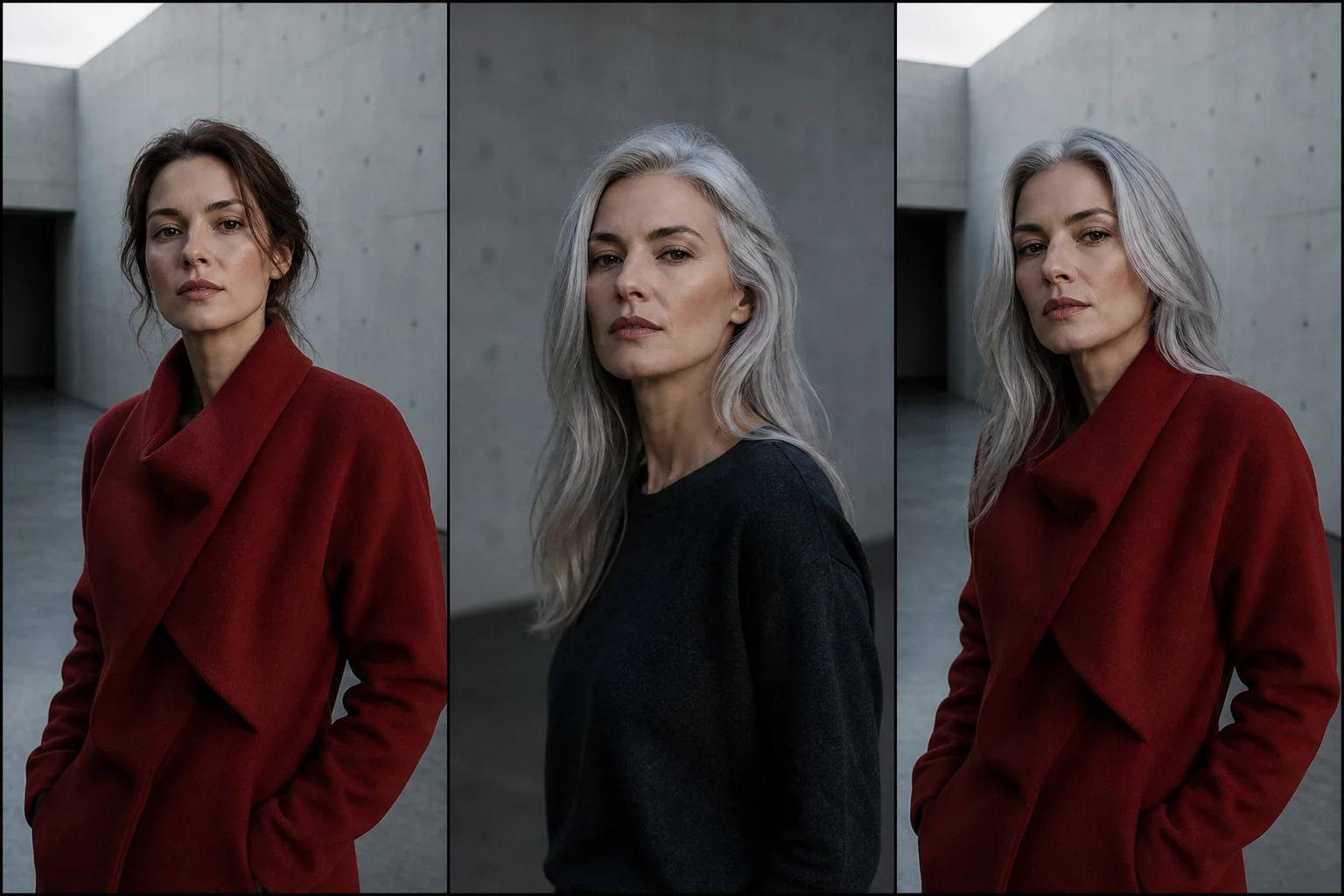
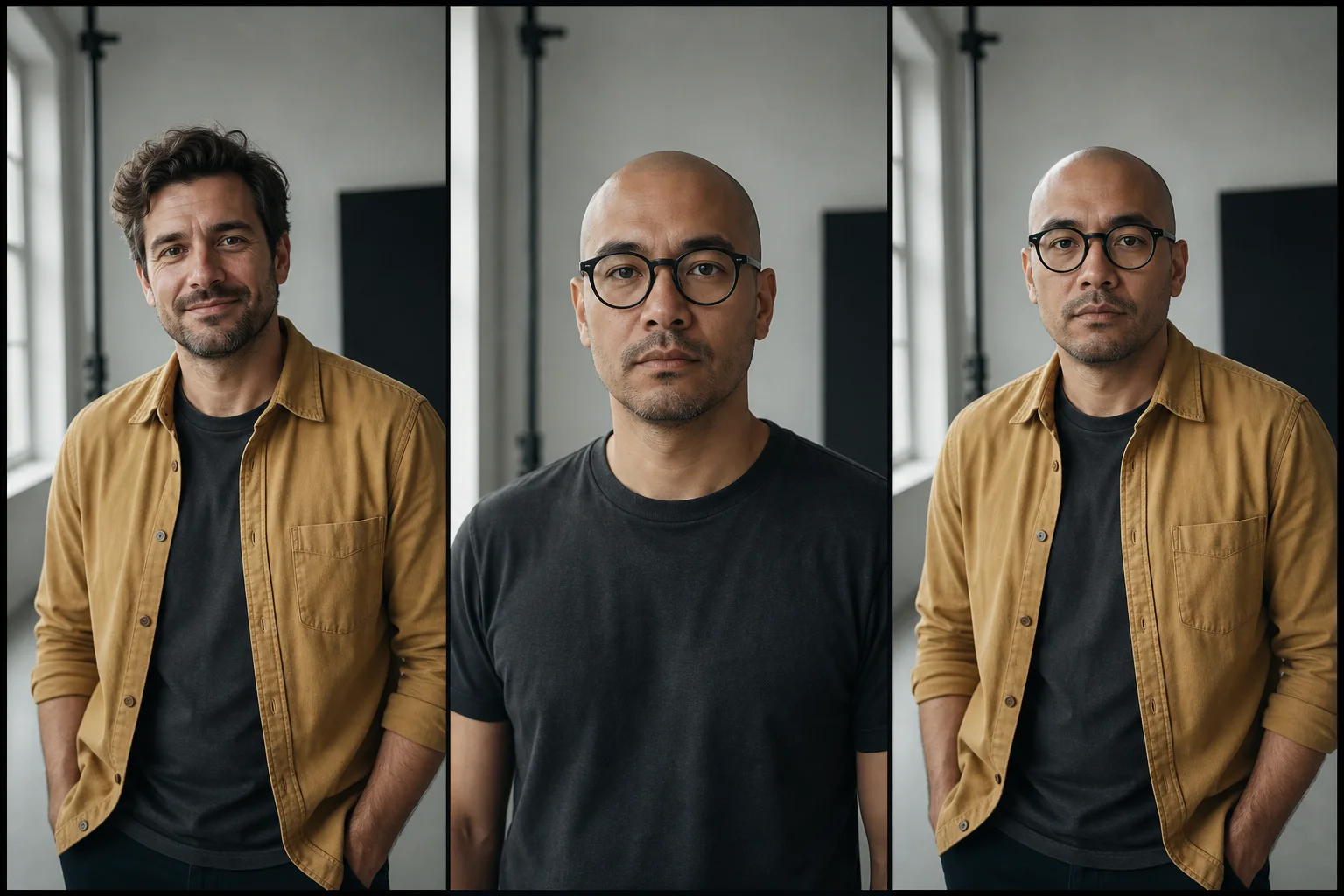
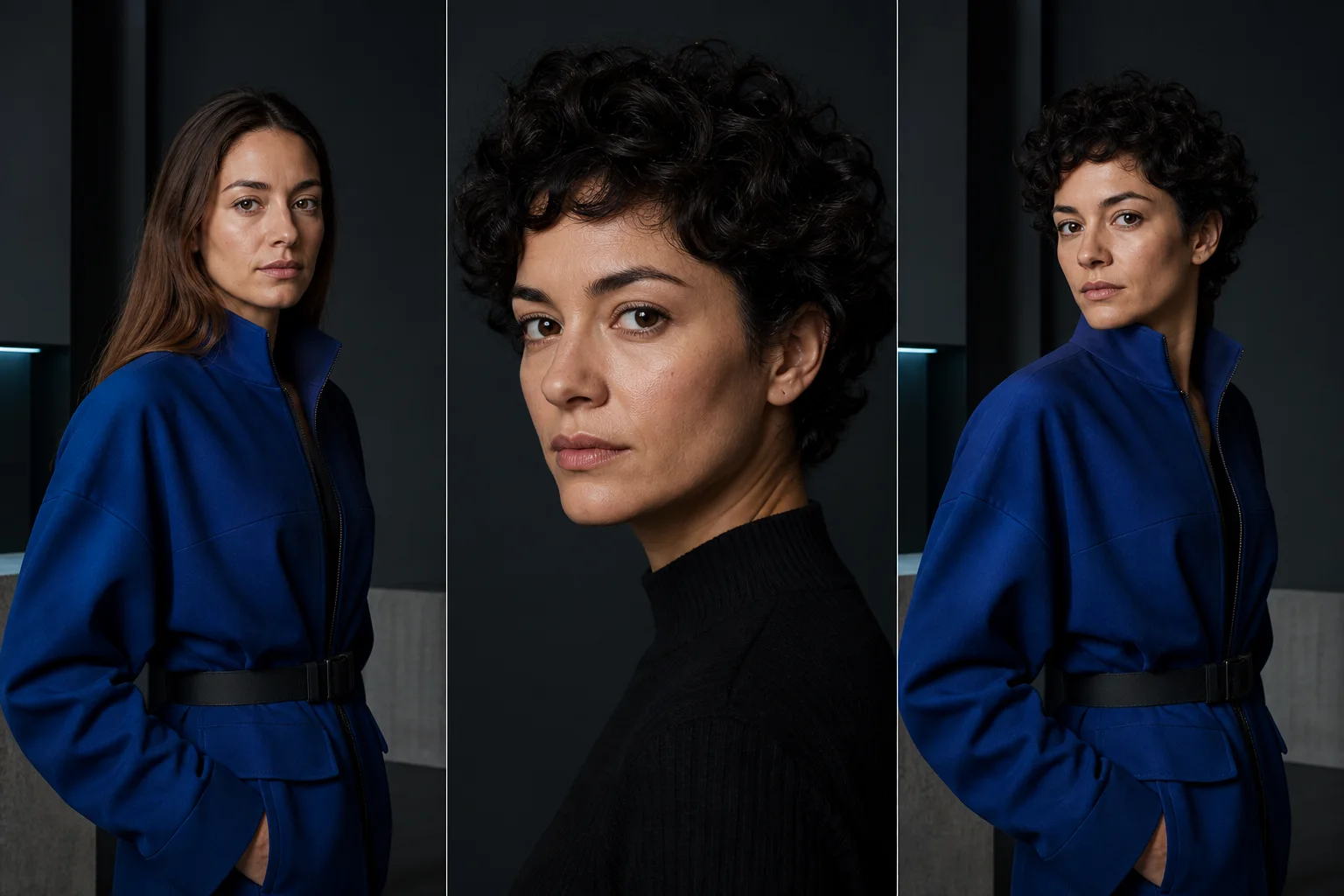
Model
GPT Image 2
Premium identity-preserving pipeline tuned for clean head and hairline transfer.
Cost
25 credits
Fixed price per generation. Welcome credits cover testing before buying a package.
Inputs
2 photos
One target image (scene and body) and one source identity photo (head to transfer).
Prompt
None required
Preset workflow inside Image Studio. Upload, pick Swap Head, generate.
How the AI head swap workflow runs
Four steps from upload to result. Same flow as the face-swap variant, except Head Swap replaces the full silhouette rather than only the face region.
| Step | Action | What matters |
|---|---|---|
| 1. Target photo | Upload the photo you want to keep as base scene, pose, and body. | Pick a clean composition with a clearly framed head area. Avoid heavy occlusion. |
| 2. Source head photo | Upload a second portrait containing the head and identity to transfer. | High-resolution, even lighting, visible landmarks. Match the head angle of the target if possible. |
| 3. Choose Swap Head | Select the Swap Head preset in Image Studio. | No prompt writing. The preset handles the silhouette, hair, and identity transfer. |
| 4. Generate | Make head swap — Uses 25 credits with GPT Image 2. JPG, PNG or WebP, up to 10 MB per image. | Iterate on the source image if the first result misses hair or jawline detail. |
Open Image Studio or compare credits
Head swap vs face swap: which one fits your photo?
Case 1
You want the hairline and head shape from the source
Pick head swap. It replaces the full silhouette so hair, hairline, ear position, and jawline come from the source identity.
Case 2
You only want a different face on the same hair
Pick face swap. It keeps the original hair, head outline, and accessories and changes only the facial region.
Case 3
You are stitching identity across a series
Run head swap once per target to keep the identity consistent across multiple scenes, then optionally finish with face swap for fine-tuning.
FAQ
What is an AI head swap?
An AI head swap replaces the full head from a target photo (silhouette, hairline, ears, and face) with the head from a source photo. It is a stronger transformation than face swap, which only changes the facial region while keeping the original head shape and hair.
How is head swap different from face swap?
Face swap replaces only the face area and preserves the original head, hair, and outline. Head swap replaces the entire head silhouette, which is the right choice when hair style, head angle, or jawline of the source identity must come through.
How much does the UlazAI head swap cost per generation?
The tool runs at a fixed 25 credits per generated image. New accounts receive welcome credits so you can test before buying a package.
Which AI model powers UlazAI head swap?
Head Swap inside UlazAI Image Studio is powered by GPT Image 2, a premium identity-preserving image pipeline tuned for clean head and hairline transfer without prompt writing.
What photos work best for AI head swap results?
Use high-resolution portraits with clear lighting, visible facial landmarks, and a head angle close to the target. Avoid heavy occlusion, motion blur, and extreme side profiles for the strongest identity transfer.
Does the head swap keep the original hair?
No. A full head swap replaces the entire head including hair and hairline, so the result carries the source person's hairstyle. If you want to keep the target photo's hair and change only the face, use a face swap instead; the face swap vs head swap guide shows which one fits your photo.
Can I try the head swap for free?
Yes. A new account starts with welcome credits and each swap costs 25 credits, so you can test the tool before buying a package. Credits unlock after email verification and there is no credit card required at signup.
Can I do a full head swap on a body photo?
Yes. Head swap keeps the body, pose, clothing, and scene from the target image and replaces only the head silhouette. That is the standard use case for full head swaps in advertising, social, and publishing workflows.
Try the AI head swap right now
Open Image Studio, upload two photos, pick Swap Head, and generate at fixed 25 credits per result.
Swap the full head when a face-only edit is not enough
A head swap should carry the face, hairline and overall head shape into the target photo. Use a clear source portrait and a target with a similar camera angle; heavy occlusion around hair or hats makes the join less convincing.
Inspect the neck edge, ears and lighting before exporting. Those three areas expose a weak composite faster than the face itself.